Servers and installs
Any cloud. A full stack in one click.
Create servers on 8 clouds from one form, with the monthly price shown first, or connect a server you already run with one command. Then install Nginx, PHP, Node.js, PostgreSQL and the rest from tested manifests that are safe to run twice.
8 clouds, one form
Hetzner, DigitalOcean, AWS, Vultr, Linode, UpCloud, Scaleway and Hostinger. Tokens are checked with a read-only call before they are saved.
Bring your own server
Paste one install command on any Ubuntu or Debian machine. The agent dials out, registers the server and discovers what already runs on it.
Installs you can preview
See packages, users, ports and firewall changes as a diff before anything runs. Every install ends with a health check.
Files and terminal built in
A desktop-style file manager with a code editor, and a terminal through the agent, scoped to the paths each person may see.
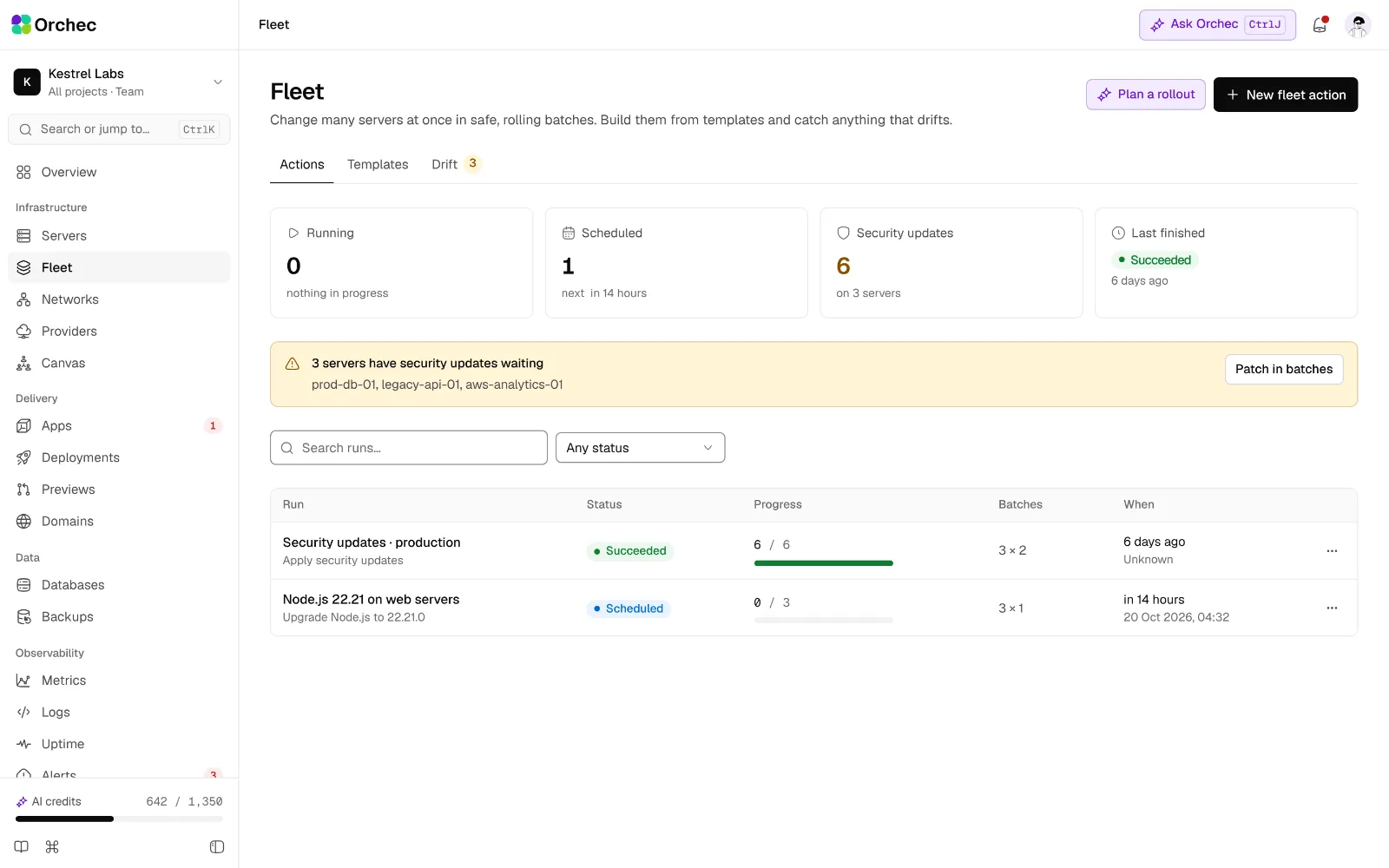
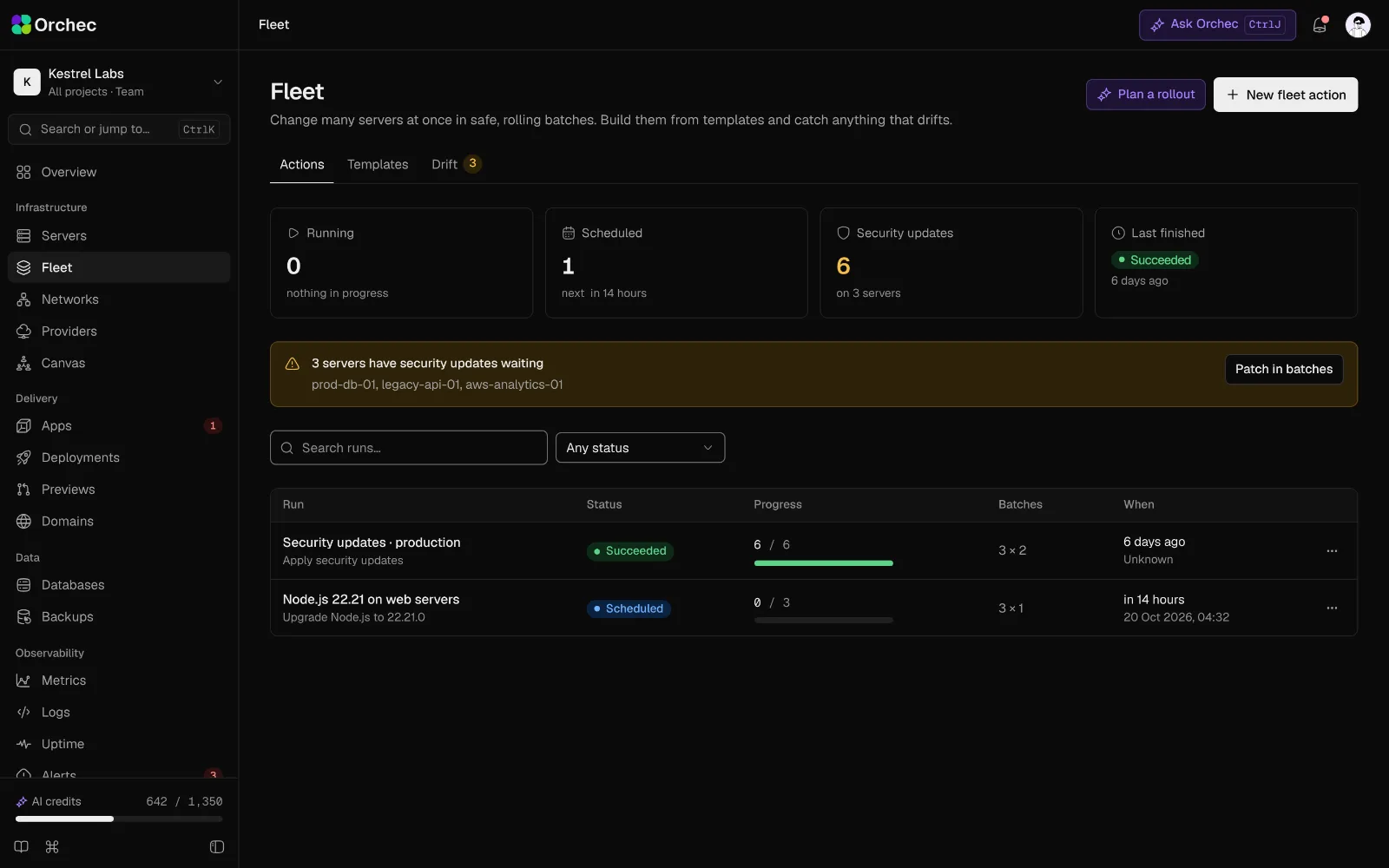
Every server with its provider, region, system, agent version and health.
Create and connect servers
Providers, provisioning and everything you do to a server over its life.
Connect Hetzner Cloud
Add an API token; it is checked with a read-only call before it is saved.
Cloud providers
Connect DigitalOcean
API token or OAuth, validated before saving.
Cloud providers
Connect AWS EC2
Access key or IAM role, with a least-privilege policy the panel generates for you.
Cloud providers
Connect Vultr, Linode, UpCloud, Scaleway and Hostinger
Same flow as Hetzner, one adapter per provider.
Cloud providers
Provider capability matrix
Shows which actions each provider supports (snapshots, resize, volumes, rescue, IPv6) and hides the rest.
Cloud providers
Credential health check
Re-checks every token daily and alerts on expired or revoked keys.
Cloud providers
Several accounts per provider
Keep client A and client B Hetzner projects apart.
Cloud providers
Create a server
Pick provider, region, size, OS and server type in one form, with the monthly price shown live.
Server provisioning
Server types
Web, database, worker, Redis/Valkey cache, Docker, load balancer, search, storage, mail and plain.
Server provisioning
Bring your own server
Paste one install command on any Ubuntu or Debian VPS; the agent dials out and registers the server.
Server provisioning
SSH keys at create time
Choose which team keys are placed on the new server.
Server provisioning
Cloud-init templates
Saved first-boot scripts applied when the server is created.
Server provisioning
Private network at create time
Attach the server to a VPC or provider private network.
Server provisioning
Live provisioning log
Each step with timings and streamed output; survives a browser refresh.
Server provisioning
Failed-provision cleanup
Deletes orphaned servers, IPs and volumes when a run fails.
Server provisioning
Import and discover an existing server
Detects packages, services, sites, ports and users and adds them to the inventory.
Server provisioning
Server overview
Status, IPs, OS, uptime, sites, services and recent jobs on one screen.
Server lifecycle
Reboot, power off and power on
Runs as a job with live status.
Server lifecycle
Rename, tag and move between projects
Organise servers without touching the machine.
Server lifecycle
Resize
Change plan where the provider supports it, with the price difference shown.
Server lifecycle
Delete server
Typed name; lists what will be lost and which backups are kept.
Server lifecycle
Agent status and update
Agent version, last heartbeat and signed self-update.
Server lifecycle
Detach without deleting
Remove a server from the panel and uninstall the agent, leaving the machine running.
Server lifecycle
On the roadmap · 9 more
- Connect GCP, Azure, OVHcloud and Oracle CloudAdditional adapters beyond Ploi's provider list.
- Connect Proxmox and on-prem hypervisorsCreate VMs on your own hardware through the same server wizard.
- AI provider and region advisor AIRecommends provider, region and plan from latency to your users, budget and workload, with a price comparison.
- Block volumesCreate, attach, resize and detach block storage.
- AI sizing advisor AIReads the repo or current metrics and proposes CPU, RAM and disk with expected headroom.
- AI import review AIExplains what discovery found on an existing server and flags risky leftovers such as open DB ports or old users.
- Rebuild OSReinstall with typed confirmation and an automatic snapshot first.
- Snapshots and imagesSnapshot, restore, save a golden image and launch new servers from it.
- Rescue mode and consoleProvider rescue boot and serial or VNC console link.
Install your stack
Web servers, databases, caches, runtimes and apps from versioned manifests.
Install plan preview
Packages, users, ports, firewall changes and disk use shown as a diff before anything runs.
Install engine
Idempotent installs
Running an install twice never duplicates users or overwrites data; it repairs what drifted.
Install engine
Install manifests
Every installable is a versioned manifest: dependencies, config templates, health check, upgrade path.
Install engine
Post-install health check
Port, process and connection tests decide whether the install succeeded.
Install engine
Dependency and port conflict check
Finds port clashes and incompatible packages before installing.
Install engine
Version pinning and upgrades
Hold a version, then schedule a minor or major upgrade with rollback.
Install engine
Safe uninstall
Removes the service and keeps its data unless you choose to delete it.
Install engine
AI failed-install diagnosis
AIReads the install log, explains the failure and proposes a fix job.
Install engine
Web servers
Nginx, Apache and the Nginx + Apache hybrid; Caddy and Traefik as alternatives.
One-click services
PostgreSQL
Chosen version with a config tuned to the server size.
One-click services
MySQL and MariaDB
Chosen version with a tuned config.
One-click services
Redis and Valkey
Persistence, memory policy and password set up.
One-click services
Docker Engine and Compose
Installed from the official repository.
One-click services
Meilisearch and Elasticsearch
Plus OpenSearch and Typesense.
One-click services
Supporting tools
Git LFS, Supervisor, fail2ban, certbot, logrotate and htop.
One-click services
WordPress
Site, database, SSL and caching in one step.
One-click apps
Laravel, Statamic and Craft CMS
Framework-aware installs with queues and scheduler.
One-click apps
phpMyAdmin, Adminer and pgAdmin
Database GUIs behind authentication.
One-click apps
Node.js
LTS lines through a version manager, with a default per site.
Runtimes
Package managers
npm, pnpm, Yarn, Bun and Corepack.
Runtimes
PHP and extensions
Several versions, an FPM pool per site and extension toggles.
Runtimes
Python
Versions, virtual environments and uv or pip.
Runtimes
Several versions per server
Node 20 for one app and Node 22 for another on the same machine.
Runtimes
End-of-life alerts
Warns when a runtime version approaches end of life.
Runtimes
Supported OS check
Ubuntu LTS and Debian stable; unsupported releases are blocked before install.
OS and updates
Security updates
Apply now or on a schedule; unattended-upgrades on or off.
OS and updates
Full package upgrades
Lists exactly which packages will change before running.
OS and updates
Reboot-required flag
Fleet-wide view of pending reboots and kernel updates.
OS and updates
Timezone, hostname, swap and locale
Basic system settings without SSH.
OS and updates
Linux users and sudo
Create users, add keys and set sudo rights.
OS and updates
On the roadmap · 14 more
- AI config tuning AITunes Nginx workers, PHP-FPM pools and Postgres memory from server size and live load, shown as a diff.
- S3-compatible storageMinIO or Garage on a storage server.
- Mail serverPostfix with DKIM, SPF and DMARC, or a relay through SES or Postmark.
- MongoDB, ClickHouse and TimescaleDBInstalled through their own manifests.
- RabbitMQ, NATS and KafkaSingle-node message brokers.
- NextcloudWith Redis and cron set up.
- Ghost, n8n, Plausible, Umami and MetabasePopular self-hosted apps beyond Ploi's list.
- Grafana, Uptime Kuma and GiteaOps tools installed as apps.
- Community app catalogueInstallers contributed as manifests and reviewed before listing.
- AI app installer AI"Install n8n behind auth on n8n.mydomain.com" resolves app, domain, SSL, database and firewall into one plan.
- Go, Rust, Java, .NET, Deno and RubyToolchains installed and kept up to date.
- AI runtime upgrade check AIChecks the app's dependencies against a new runtime version and lists breaking changes before you switch.
- OS release upgrade assistantGuided upgrades such as Ubuntu 24.04 to 26.04, with pre-checks and a snapshot first.
- AI update risk summary AISummarises pending updates, highlights ones that restart services or touch your runtimes, and suggests a window.
Operate
A file manager and a terminal in the browser, with no public SSH port.
Tree and breadcrumb browser
A desktop-style explorer: folder tree, breadcrumbs and an editable path, click to select and double-click to open, keyboard navigation, back and forward, list and grid views, sort, filter and paginate.
File manager
Upload and download
Files and folders, drag and drop, resumable large uploads, download as zip.
File manager
Create, rename, copy, move and delete
Multi-select with Shift and Cmd or Ctrl, right-click menus, cut, copy and paste, drag onto a folder to move, and bulk changes with progress and cancel.
File manager
Code editor
Syntax highlighting for JSON, YAML, TOML, .env, Nginx, JS/TS, PHP and Rust.
File manager
Path-scoped access
People see only the sites and paths their role allows; no root browsing by default.
File manager
Live log tail
Open any log file in streaming mode.
File manager
Validation on save
YAML, JSON and Nginx syntax checked before the file is written.
File manager
Diff before save
Review changes and keep the previous version.
File manager
Archives
Create and extract zip, tar.gz and tar.zst.
File manager
Permissions and ownership
chmod and chown editor with privilege checks.
File manager
Search by name and content
With exclude rules such as node_modules.
File manager
Image, PDF and Markdown preview
View files without downloading them.
File manager
AI file explainer
AIExplains any config or log file in plain language, line by line.
File manager
Browser terminal
A terminal through the agent; no public SSH port needed.
Terminal and scripts
Tabs, split panes and reconnect
Several sessions per server; reattach after a dropped connection.
Terminal and scripts
Run-as user and working directory
Starts as the site user, never as root by default.
Terminal and scripts
Saved scripts
Reusable scripts with variables.
Terminal and scripts
Run on many servers
Per-server output and exit codes.
Terminal and scripts
Scheduled scripts
Run a saved script on a cron schedule.
Terminal and scripts
AI command helper
AIDescribe what you want; get the command with an explanation, inserted but not run.
Terminal and scripts
AI output explainer
AISelect terminal output and ask what it means or how to fix the error.
Terminal and scripts
On the roadmap · 11 more
- File version historyRestore any earlier version of an edited file.
- Disk usage mapTreemap of what uses space, with a large-file and duplicate finder.
- File classesMarks files as release-managed, persistent, config or secret and warns before editing a release file.
- Compare with GitShows the difference between a live file and the deployed commit.
- Scoped SFTP usersSFTP access per user, limited to a path, with an expiry date.
- AI config editor AIDescribe the change; AI edits the file, shows the diff and validates it before saving.
- AI disk cleanup AIFinds safe-to-delete caches, old releases and rotated logs, and estimates the space freed.
- Session recordingRecorded sessions for audit and replay.
- Command policyBlocks or asks for approval on patterns such as rm -rf /, DROP DATABASE or firewall flushes.
- Just-in-time rootTime-limited sudo on request and approval, revoked automatically.
- AI script writer AIGenerates a reusable script with variables and a dry-run mode.
Be first in when Orchec opens.
Join the waitlist for an early invite, or book a demo and we’ll walk your team through it on your own stack.