Databases and backups
See into your data. Restore with confidence.
Run PostgreSQL, MySQL, MariaDB and Redis on your own servers, and work with them from Orchec: a data grid, a read-only SQL console, schema and monitoring, and AI that writes the query. Scheduled backups go to your own storage, and restores can be tested.
A real data grid
Browse tables with raw values and types, filter and sort, and read the schema with indexes, constraints and sizes.
A safe SQL console
Read-only by default, with query timeouts. Ask in plain English and AI writes the SQL against your schema.
Backups to your storage
Hourly to monthly, to S3, Cloudflare R2, Backblaze B2, Wasabi, Google Drive, Dropbox or SFTP, with retention rules.
One-click restore
Restore to the same or a new database. A backup is taken automatically before any drop, upgrade or migration.
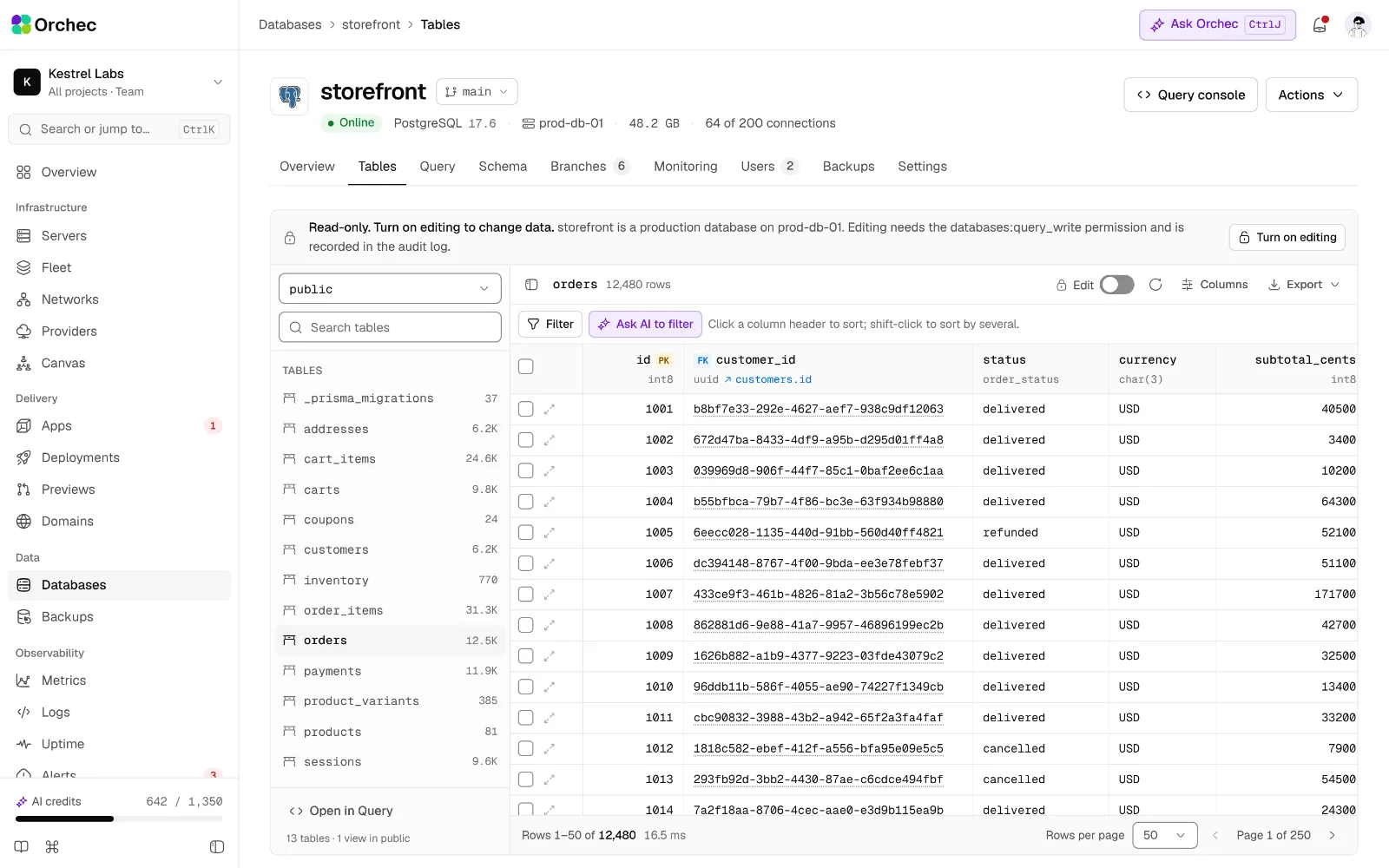
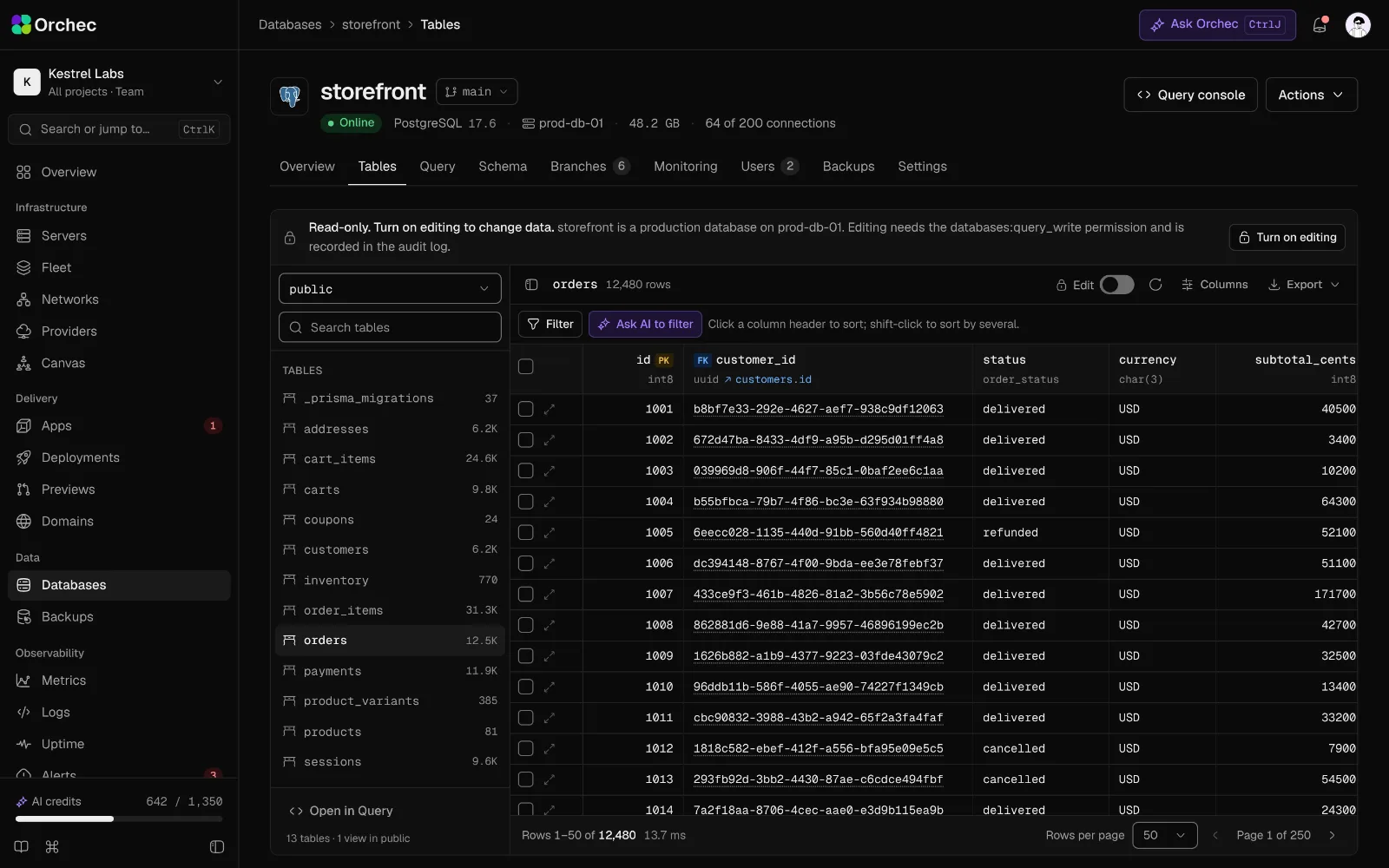
The data grid for an orders table, with filters, sorting and raw column values.
Databases
Create, browse, query, tune and monitor.
Create and drop databases
Typed confirmation and an automatic backup before any drop.
Users and grants
Create users and set privileges per database.
Connection strings
Copy-ready strings, injected into an app's env on request.
Remote access control
Open the port only to listed IPs or the private network.
Slow queries and EXPLAIN
Slow-query log and query plans.
Web SQL console
Read-only by default, with query timeouts.
Schema browser
Tables, columns, indexes, constraints and sizes.
Extensions
Enable pgvector, PostGIS, pg_stat_statements and more.
Data grid
A Prisma Studio-style table browser: raw column values with types, filters, sorting, paging, inline edits, add and delete rows, related records one click away, and every change shown as SQL to confirm before it runs.
AI SQL assistant
AIAsk in plain English; AI writes SQL against your schema, runs it read-only and explains the result.
Database monitoring
Connections, transactions per second, cache hit ratio, rows read and written, storage growth and long-running queries, with sessions you can end.
On the roadmap · 9 more
- Live connections and locksSee and end sessions; view blocking locks.
- Connection poolingPgBouncer installed and configured.
- Major version upgradeGuided upgrade with a backup taken first.
- Other engines through adaptersMongoDB, ClickHouse and Redis get their own screens, not a forced SQL view.
- Read replicas and standbysSet up replication with one wizard.
- AI query optimizer AIReads slow queries and plans and proposes indexes or rewrites, with the expected gain.
- AI tuning advisor AIMemory and connection settings from server size and real usage.
- AI migration reviewer AIFlags locking or destructive migrations before they run on production.
- Database branchesNeon-style branches: a full copy of a database from now, a point in time or a backup, with its own connection string, reset from its parent and delete when done.
Backups and recovery
Scheduled, encrypted, checked and restorable.
Scheduled database backups
Hourly to monthly, per database.
Backup destinations
S3, Cloudflare R2, Backblaze B2, Wasabi, Google Drive, Dropbox and SFTP.
Retention rules
Keep the last N, plus daily, weekly and monthly copies.
One-click restore
Restore to the same or a new database.
File backups
Site files, uploads and config on a schedule.
Client-side encryption
Encrypted before upload, keys kept in the secrets vault.
Backup health alerts
Alerts on failed, missing or suddenly smaller backups.
Backup before risky actions
Taken automatically before a drop, upgrade or migration.
On the roadmap · 7 more
- Server snapshots on a scheduleProvider snapshots kept with retention rules.
- Restore to a sandboxRestore into an isolated copy and check it before touching production.
- Scheduled restore drillsA monthly automatic restore test with a pass or fail report.
- Point-in-time recoveryWAL archiving with restore to any minute.
- Disaster-recovery rebuildRebuilds an app from backups into an isolated environment and reports measured RPO and RTO.
- AI backup planner AIProposes schedule, retention and destination from data size, change rate and your target RPO.
- AI recovery guide AIDuring an outage, picks the right backup and walks through the restore with a check at each step.
Be first in when Orchec opens.
Join the waitlist for an early invite, or book a demo and we’ll walk your team through it on your own stack.